

Save System
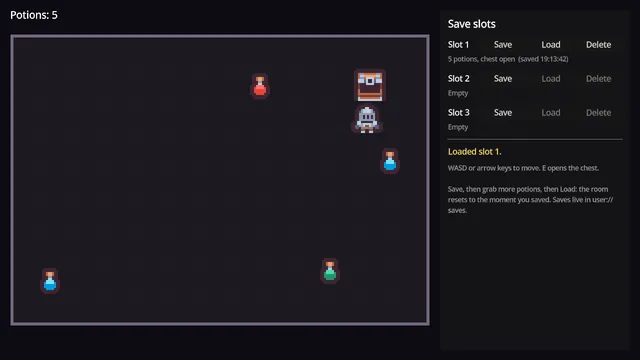
Save slots where picked-up items stay picked up and opened chests stay open.
Godot 4.7 · MIT code · CC0 art
Learn to build it: Save + Load System (First 4 lessons free)

An inventory touches everything: item data, stacking rules, the UI and saving. This one keeps the data apart from the UI. You can keep the logic and restyle the window without breaking it.
Free Godot 4.7 project · MIT licensed · v1.0.0
No account needed. Or download the v1.0.0 ZIP directly.
Download the project from GitHub and unzip it. In the Godot Project Manager, click Import and pick the project.godot file inside the folder.
The README on GitHub explains how each part works and how to copy it into your own game.
5ac564b, published 2026-10-03Copying a system works until you need to change it. These quests build it with you, one small step at a time. You write the GDScript in your browser and each step is checked before you move on.
Builds this inventory from the data model up: items, slots, the UI and using items.
Free, 10 lessons
Carries on with an equipment paper doll, a hotbar, sorting and tooltips that compare gear.
Guild Hall members
Save slots where picked-up items stay picked up and opened chests stay open.
Godot 4.7 · MIT code · CC0 art
Learn to build it: Save + Load System (First 4 lessons free)
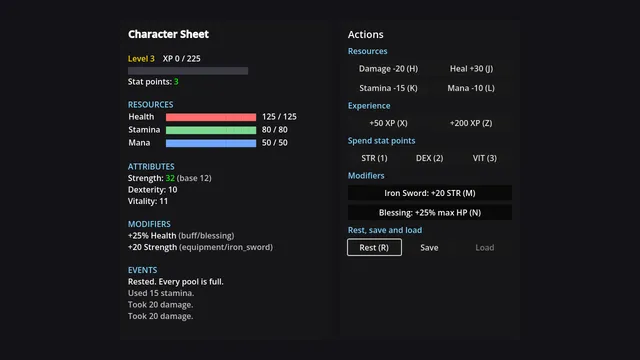
Health and mana pools, attributes, modifiers tagged by source, an XP curve and stat points.
Godot 4.7 · MIT code
Learn to build it: Stats & Leveling System (First 4 lessons free)
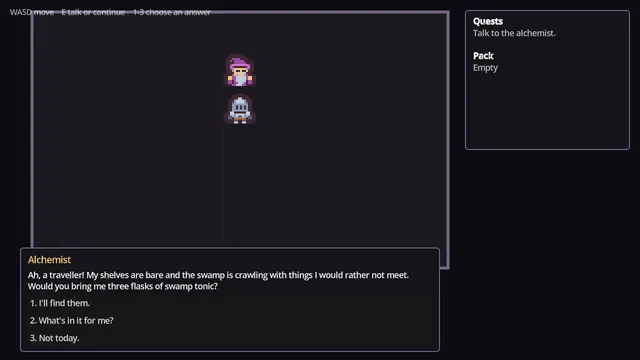
Branching dialogue with conditions and effects, quests that track themselves, and a visual dialogue editor.
Godot 4.7 · MIT code · CC0 art
Learn to build it: Dialogue & Quest System (First 4 lessons free)
See all the free Godot projectsReport a problem with this project